使用 nginx-openid-connect 模块 让nginx作为网关登录

· 3 min read
timger
timger

什么是 openid

详细

openid 配置部分

什么是 .well-known/jwks

.well-known/jwks 是一个标准的 URI 路径,用于在 Web 服务器上公开 JSON Web Key Set(JWKS),以便其他应用程序可以使用它们来验证令牌的签名。

JSON Web Key Set(JWKS)是一种包含公钥或证书的 JSON 格式文件,用于在 OAuth 2.0 和 OpenID Connect 等身份验证和授权协议中进行令牌签名验证。通过公开 JWKS,应用程序可以获取到用于验证签名的公钥,从而验证来自认证服务器签发的令牌的合法性。

在 OAuth 2.0 和 OpenID Connect 中,认证服务器通常会使用非对称加密算法生成令牌的签名,并将公钥或证书存储在 JWKS 中。其他应用程序可以通过获取 JWKS 中的公钥来验证令牌的签名,确保令牌的真实性和完整性。

因此,当一个应用程序需要验证来自认证服务器签发的令牌时,它可以通过访问 .well-known/jwks 路径来获取 JWKS,并使用其中的公钥来验证令牌的签名。这有助于确保令牌的安全性和有效性。

配置

启动js支持

需要 ngx_http_js_module.so

在开始在研究

  1. https://github.com/nginx/njs
  2. https://pkgs.alpinelinux.org/package/edge/main/ppc64le/nginx-mod-http-jshttps://casdoor.org/zh/docs/integration/C++/Nginx/ https://casdoor.org/zh/docs/integration/C++/NginxCommunityVersion

感觉纯nginx 比较复杂, 要么需要 nginx plus 要么配置负载

https://github.com/zmartzone/lua-resty-openidc 看看

RUN luarocks install lua-resty-openidc
RUN luarocks install lua-resty-http
RUN luarocks install lua-resty-session
RUN luarocks install lua-resty-jwt

安装目录

#15 [11/20] RUN luarocks list
#15 0.208
#15 0.209 Rocks installed for Lua 5.1
#15 0.209 ---------------------------
#15 0.209
#15 0.209 lua-ffi-zlib
#15 0.209 0.6-0 (installed) - /usr/local/openresty/luajit/lib/luarocks/rocks-5.1
#15 0.209
#15 0.209 lua-resty-auto-ssl
#15 0.209 0.13.1-1 (installed) - /usr/local/openresty/luajit/lib/luarocks/rocks-5.1
#15 0.209
#15 0.209 lua-resty-http
#15 0.209 0.17.2-0 (installed) - /usr/local/openresty/luajit/lib/luarocks/rocks-5.1
#15 0.209
#15 0.209 lua-resty-jwt
#15 0.209 0.2.3-0 (installed) - /usr/local/openresty/luajit/lib/luarocks/rocks-5.1
#15 0.209
#15 0.209 lua-resty-openidc
#15 0.209 1.7.6-3 (installed) - /usr/local/openresty/luajit/lib/luarocks/rocks-5.1
#15 0.209
#15 0.209 lua-resty-openssl
#15 0.209 1.5.1-1 (installed) - /usr/local/openresty/luajit/lib/luarocks/rocks-5.1
#15 0.209
#15 0.209 lua-resty-session
#15 0.209 4.0.5-1 (installed) - /usr/local/openresty/luajit/lib/luarocks/rocks-5.1
#15 0.209 3.10-1 (installed) - /usr/local/openresty/luajit/lib/luarocks/rocks-5.1
#15 0.209
#15 0.209 shell-games
#15 0.209 1.1.0-1 (installed) - /usr/local/openresty/luajit/lib/luarocks/rocks-5.1
#15 0.209
#15 DONE 0.2s

其他

在k8s 上使用

https://www.nginx-cn.net/blog/easy-robust-sso-openid-connect-nginx-ingress-controller/

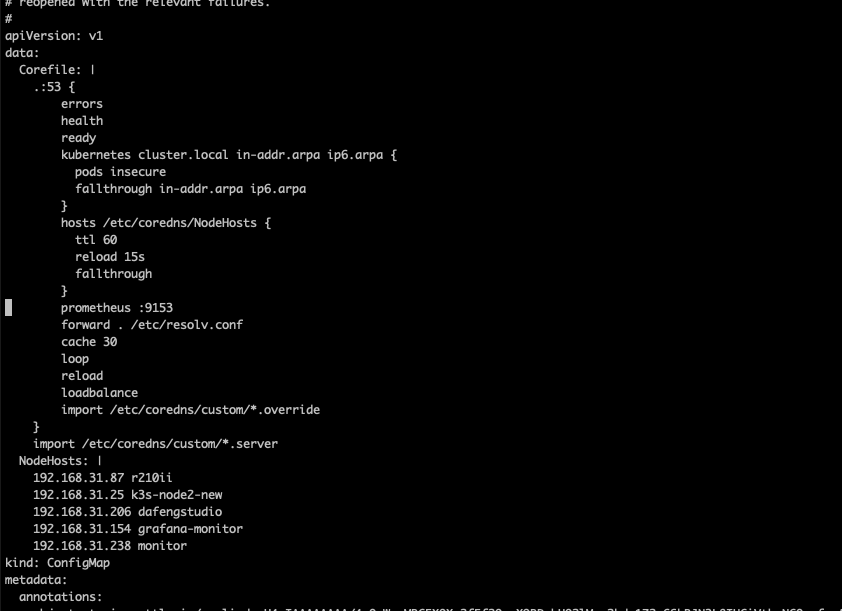
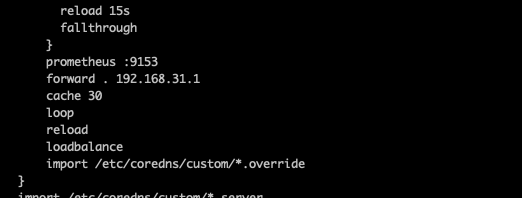
最后发现 js 模块需要
参考

  1. https://github.com/nginxinc/nginx-openid-connect
  2. https://www.nginx-cn.net/blog/easy-robust-sso-openid-connect-nginx-ingress-controller/
  3. https://pkgs.alpinelinux.org/package/edge/main/ppc64le/nginx-mod-http-js

playwright-代理相关

· 2 min read
timger
timger

调用自己函数

https://github.com/langflow-ai/langflow/discussions/1272

错误

Fernet key must be 32 url-safe base64-encoded bytes.

https://github.com/langflow-ai/langflow/discussions/1521

在这里生成, 更新环境变量

- name: "LANGFLOW_SECRET_KEY"
value: "xxxxx="

然后 重新部署

json format 时候

'messages' must contain theword 'json' in some form, to use                'response_format' of type 'json_object

提示词 需要包含

import os
from openai import AzureOpenAI

client = AzureOpenAI(
azure_endpoint = os.getenv("AZURE_OPENAI_ENDPOINT"),
api_key=os.getenv("AZURE_OPENAI_API_KEY"),
api_version="2024-03-01-preview"
)

response = client.chat.completions.create(
model="gpt-4-0125-Preview", # Model = should match the deployment name you chose for your 0125-Preview model deployment
response_format={ "type": "json_object" },
messages=[
{"role": "system", "content": "You are a helpful assistant designed to output JSON."},
{"role": "user", "content": "Who won the world series in 2020?"}
]
)
print(response.choices[0].message.content)

"Error building Component OpenAI:\n\nExpected mapping type as input to ChatPromptTemplate. Received <class 'list'>

这个错误提示表明在构建 OpenAI 组件时,ChatPromptTemplate 预期接收一个映射类型(mapping type,如字典),但实际上接收到了一个列表(list)。这种类型不匹配导致了错误。

要解决这个问题,您可以检查代码中传递给 ChatPromptTemplate 的参数,确保传递的是一个字典而不是列表。您可以通过以下步骤来调整代码:

  1. 确保传递给 ChatPromptTemplate 的参数是一个字典,例如:
prompt_template = {
"key1": "value1",
"key2": "value2"
}
  1. 将这个字典作为参数传递给 ChatPromptTemplate,而不是一个列表:
chat_prompt_template = ChatPromptTemplate(prompt_template)

通过以上步骤,您可以修复这个错误,并确保 ChatPromptTemplate 正确接收到预期的输入类型。如果还有其他问题或需要进一步帮助,请随时告诉我!

Error building Component OpenAI:\n\ndictionary update sequence element #0 has length 1; 2 is required

langflow使用简介

· 2 min read
timger
timger

调用自己函数

https://github.com/langflow-ai/langflow/discussions/1272

错误

Fernet key must be 32 url-safe base64-encoded bytes.

https://github.com/langflow-ai/langflow/discussions/1521

在这里生成, 更新环境变量

- name: "LANGFLOW_SECRET_KEY"
value: "xxxxx="

然后 重新部署

json format 时候

'messages' must contain theword 'json' in some form, to use                'response_format' of type 'json_object

提示词 需要包含

import os
from openai import AzureOpenAI

client = AzureOpenAI(
azure_endpoint = os.getenv("AZURE_OPENAI_ENDPOINT"),
api_key=os.getenv("AZURE_OPENAI_API_KEY"),
api_version="2024-03-01-preview"
)

response = client.chat.completions.create(
model="gpt-4-0125-Preview", # Model = should match the deployment name you chose for your 0125-Preview model deployment
response_format={ "type": "json_object" },
messages=[
{"role": "system", "content": "You are a helpful assistant designed to output JSON."},
{"role": "user", "content": "Who won the world series in 2020?"}
]
)
print(response.choices[0].message.content)

"Error building Component OpenAI:\n\nExpected mapping type as input to ChatPromptTemplate. Received <class 'list'>

这个错误提示表明在构建 OpenAI 组件时,ChatPromptTemplate 预期接收一个映射类型(mapping type,如字典),但实际上接收到了一个列表(list)。这种类型不匹配导致了错误。

要解决这个问题,您可以检查代码中传递给 ChatPromptTemplate 的参数,确保传递的是一个字典而不是列表。您可以通过以下步骤来调整代码:

  1. 确保传递给 ChatPromptTemplate 的参数是一个字典,例如:
prompt_template = {
"key1": "value1",
"key2": "value2"
}
  1. 将这个字典作为参数传递给 ChatPromptTemplate,而不是一个列表:
chat_prompt_template = ChatPromptTemplate(prompt_template)

通过以上步骤,您可以修复这个错误,并确保 ChatPromptTemplate 正确接收到预期的输入类型。如果还有其他问题或需要进一步帮助,请随时告诉我!

Error building Component OpenAI:\n\ndictionary update sequence element #0 has length 1; 2 is required

openid 原理 以及和 nginx 集成

· 3 min read
timger
timger

OpenID是一种用于实现单点登录(Single Sign-On)的开放标准。它允许用户在一个网站上使用他们的身份验证信息(如用户名和密码)来登录到其他网站,而无需重新输入凭据。OpenID的实现原理如下:

  1. 用户注册OpenID:用户在一个支持OpenID的网站上注册一个OpenID账号,这个OpenID账号通常是一个URL。

  2. 认证提供者:OpenID认证提供者是负责验证用户身份的网站。当用户想要登录到另一个网站时,这个网站会将用户重定向到用户注册的OpenID认证提供者。

  3. 认证流程:用户在OpenID认证提供者的网站上输入他们的凭据,然后认证提供者验证这些凭据。一旦验证成功,认证提供者会生成一个令牌(token)并将用户重定向回原始网站,同时将令牌发送给原始网站。

  4. 令牌验证:原始网站收到令牌后,会向OpenID认证提供者验证令牌的有效性。如果令牌有效,用户就可以被认为已经登录到原始网站。

通过这种方式,用户可以在多个网站之间共享他们的身份验证信息,从而实现单点登录。OpenID的实现原理基于标准的身份验证协议和加密技术,确保用户的身份信息得到安全地传输和验证。

请注意,OpenID在某些情况下已经被OAuth和OpenID Connect取代,这些协议提供了更多的功能和安全性。如果您需要更多关于身份验证和单点登录的信息,欢迎继续提问。

qdrant 安装和部署

· 5 min read
timger
timger

Qdrant是一个开源的向量数据库,专门用于存储和检索高维向量数据。它提供了一种高效的方式来处理大规模的向量数据,例如图像、文本、音频等。以下是Qdrant的一些功能和特性:

  1. 高维向量存储:Qdrant专注于存储和检索高维向量数据,能够有效地处理数百甚至数千维的向量。

  2. 相似度搜索:Qdrant支持根据向量之间的相似度进行搜索和检索,可以快速找到与查询向量最相近的向量。

  3. 多种索引算法:Qdrant支持多种索引算法,包括HNSW(Hierarchical Navigable Small World)和FAISS(Facebook AI Similarity Search)等,以提高检索效率。

  4. 分布式存储:Qdrant可以在分布式环境中部署,支持数据的分片和复制,以提高系统的可扩展性和容错性。

  5. RESTful API:Qdrant提供了基于RESTful API的接口,使用户可以方便地与数据库进行交互和管理。

  6. 灵活的配置选项:Qdrant提供了丰富的配置选项,用户可以根据自己的需求进行调整和优化。

  7. 开源和可扩展:Qdrant是一个开源项目,用户可以根据自己的需求对其进行定制和扩展。

安装使用

https://qdrant.tech/documentation/guides/installation/

docker run -it -d \
    --name qdrant \
    -p 6333:6333 \
    -p 6334:6334 \
    -v ./qdrant_data:/qdrant/storage \
    qdrant/qdrant

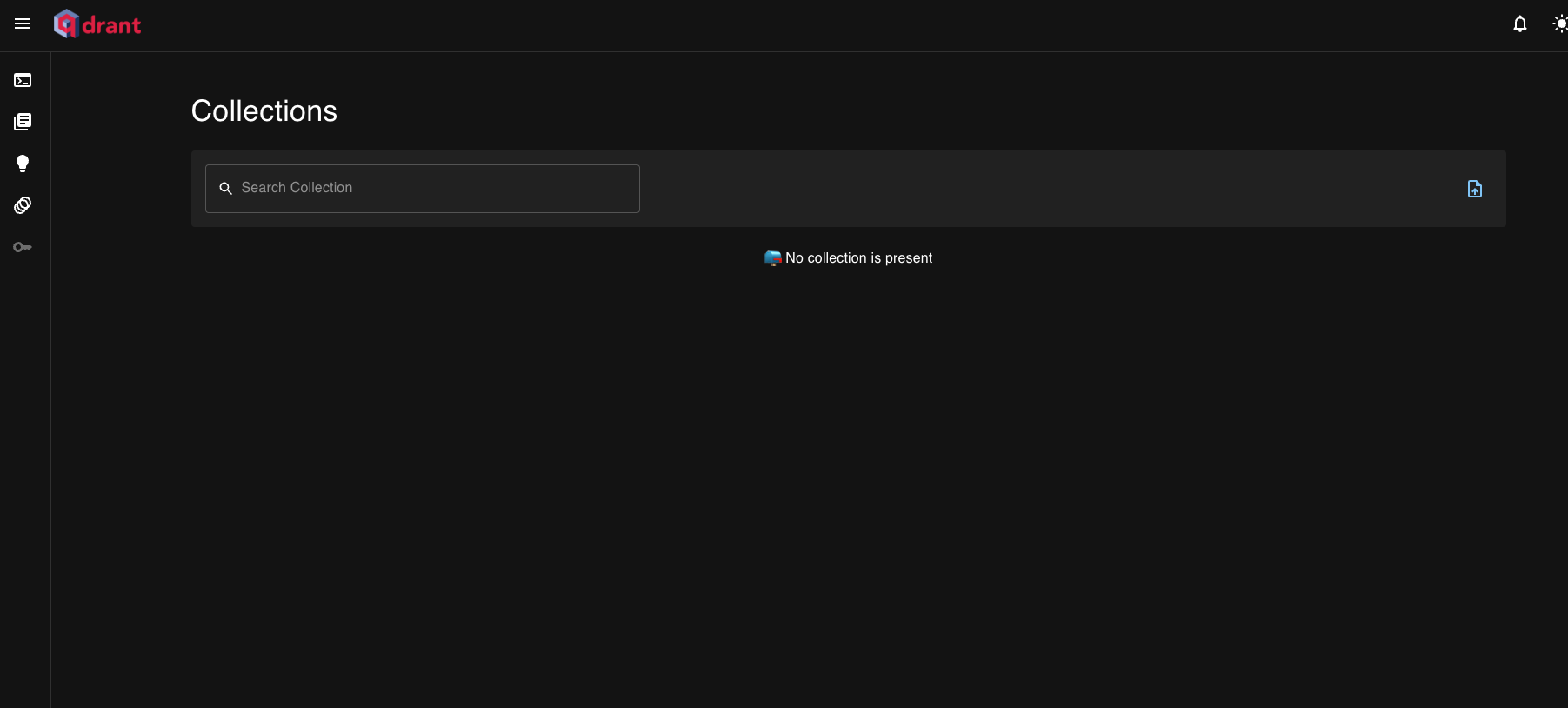
访问

http://127.0.0.1:6333/dashboard

功能

以下是一个简单的Python示例,演示如何使用Qdrant加载文档数据并进行相似度搜索以及Range搜索:

import requests

# 定义Qdrant的API地址
QDRANT_API_URL = 'http://localhost:6333'

# 加载文档数据
def load_documents(documents):
response = requests.post(f'{QDRANT_API_URL}/collection', json={'documents': documents})
return response.json()

# 进行相似度搜索
def search_document(query_vector, top_k=5):
response = requests.post(f'{QDRANT_API_URL}/search', json={'vector': query_vector, 'top': top_k})
return response.json()

# 进行Range搜索
def range_search_document(min_range, max_range, top_k=5):
response = requests.post(f'{QDRANT_API_URL}/search', json={'range': {'min': min_range, 'max': max_range}, 'top': top_k})
return response.json()

# 示例文档数据
documents = [
{'id': '1', 'vector': [0.1, 0.2, 0.3], 'text': 'Document 1'},
{'id': '2', 'vector': [0.4, 0.5, 0.6], 'text': 'Document 2'},
{'id': '3', 'vector': [0.7, 0.8, 0.9], 'text': 'Document 3'}
]

# 加载文档数据
load_documents(documents)

# 查询文档
query_vector = [0.2, 0.3, 0.4]
result = search_document(query_vector)

print(result)

# Range搜索文档
min_range = 0.4
max_range = 0.6
result = range_search_document(min_range, max_range)

print(result)

在这个示例中,我们首先定义了Qdrant的API地址,并编写了三个函数:load_documents用于加载文档数据,search_document用于进行相似度搜索,range_search_document用于进行Range搜索。然后我们定义了一些示例的文档数据,加载文档数据并查询一个文档的相似文档以及进行Range搜索。最后打印出搜索结果。

Qdrant是一个向量索引库,它的搜索功能是基于向量相似度的。因此,查询向量(query_vector)通常是一个数值向量,表示待搜索的文档或查询的特征。如果要将文字转换为向量进行搜索,可以使用文本嵌入模型(如Word2Vec、BERT等)将文字转换为数值向量,然后再进行搜索。在实际应用中,可以先将文字转换为向量,然后再将向量传递给Qdrant进行相似度搜索。